

Most cleaning companies are sitting on a goldmine they never touch. Every QA pass, every before/after shot, every "wow, look at that grout" moment your crew captures during an inspection — that's marketing content. It's proof. The kind of evidence that closes a hesitant lead faster than any ad you could buy.
The problem is almost nobody has a clean, legal way to move that material from the QA folder to the Instagram grid. So it just sits there. Or worse, someone grabs a photo without thinking, posts it, and now you've got a client texting you asking why their kitchen is on your Facebook page.
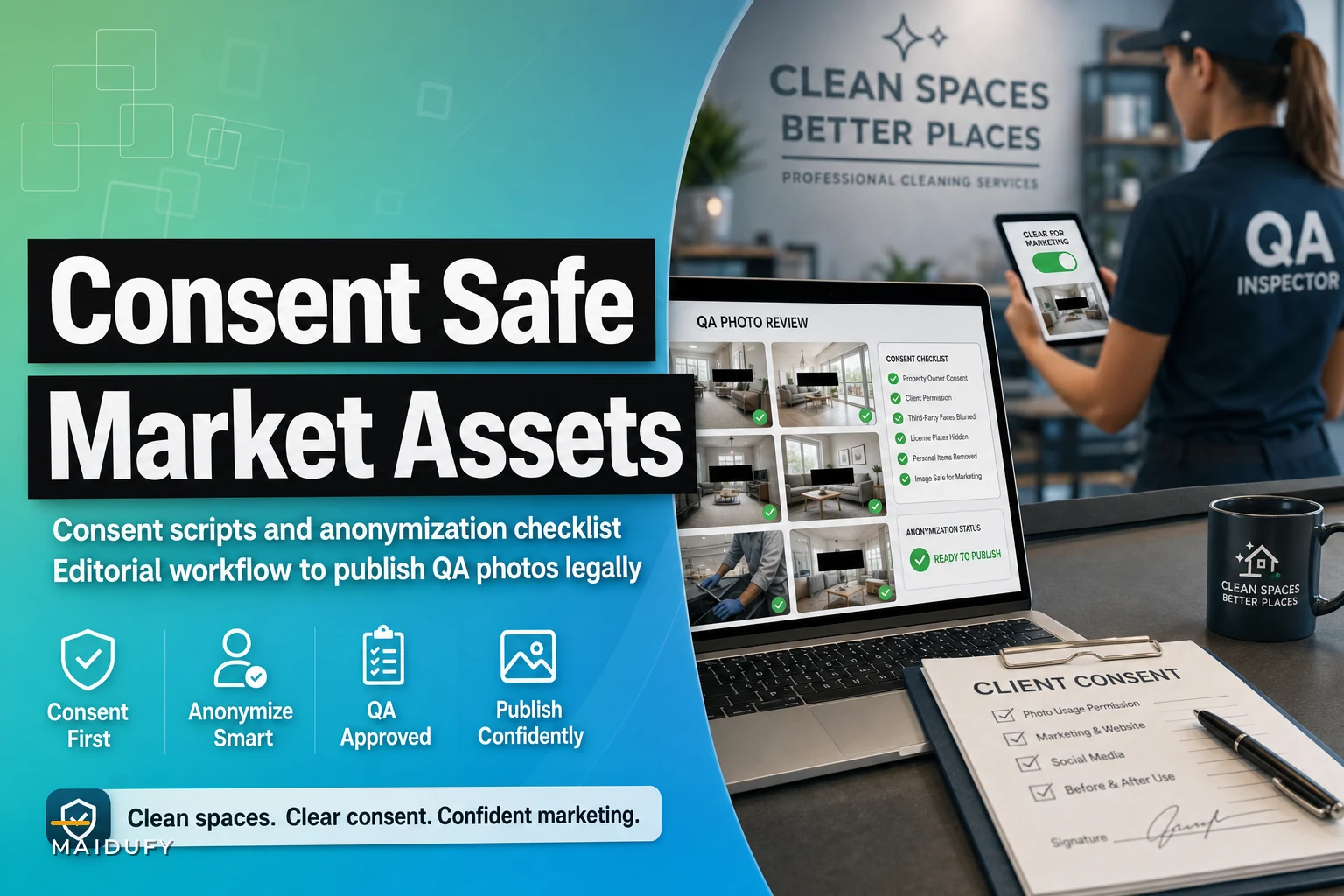
This post is about building the bridge — consent language, an anonymization checklist, and a simple editorial workflow — so you can produce privacy safe marketing assets as a cleaner without lawyering up every time you want to post a spotless oven.
Why QA photos rarely make it to marketing (and why that's actually rational)
There's a reason the QA-to-marketing pipeline is broken in most agencies, and it's not laziness.
The QA photo lives in a compliance context. It exists to protect you in a dispute, prove a room was cleaned, or document damage that was already there. That's a defensive purpose. Marketing is offensive — you're broadcasting to strangers. Nobody set up a process to move a piece of evidence from "locked in a dispute file" to "public advertisement," so the two worlds never connect.
What happens in practice at a lot of small agencies: the person who takes the photo — the cleaner or lead — is not the person who runs marketing. By the time marketing wants content, the photo is buried in a shared drive with no context, no consent record, and nobody remembers whether the client would even be okay with it going public.
So the marketing person plays it safe and uses stock photos. Which is exactly why half the cleaning companies in your area have the same generic sparkling-counter image on their homepage. It converts terribly because everyone knows it's fake.
The fix isn't just "post more of your own photos." It's building a workflow where the legal and privacy questions get answered at the moment the photo is taken, so publishing later is actually straightforward.
The two consents you actually need (they're different)
Most owners miss this distinction. You need capture consent and publication consent, and they are not the same thing.
Never miss a cleaning appointment again.
Maidufy helps you book, confirm, and manage every cleaning service seamlessly.
- Centralized booking management
- Automated client reminders
- Optimized staff scheduling
No credit card required
Capture consent is permission to take the photo at all. In a residential setting, someone's home is private space, and photographing it — even for legitimate QA — should be disclosed. Most clients are fine with it once they understand it's for quality and dispute protection.
Publication consent is permission to show that photo to the public for marketing. Much bigger ask. A lot of clients who happily agree to QA photos will hesitate at "we'd like to feature your bathroom on our website."
Bundling these two into one vague checkbox is where agencies get in trouble. A client thinks they agreed to internal quality photos, then sees their space in an ad, and now you've got a complaint — or in some jurisdictions, a real legal exposure.
The capture-and-retention side of this is covered in depth in the privacy-safe before/after photo workflow post. This article picks up where that leaves off — the publication side.
| Aspect | Capture consent | Publication consent |
|---|---|---|
| Purpose | QA, dispute protection, documentation | Marketing, ads, social, website |
| When to get it | At booking / first visit | Separately, before any public use |
| Default assumption | Most clients agree | Many clients decline — that's fine |
| Retention link | Kept as long as dispute risk exists | Kept as long as asset is published + a buffer |
| Revocable? | Yes, going forward | Yes — must be able to pull the asset |
The single most useful rule here: treat publication consent as opt-in, never opt-out. Silence is not a yes.
Consent scripts that don't kill the vibe
The awkward part is asking. Nobody wants to turn a friendly cleaning appointment into a legal negotiation. So the scripts need to be short, casual, and give an easy out.
Here are the ones that work in practice.
At booking (capture consent, written):
> "Our teams take before-and-after photos during service for quality checks and to protect both of us in case of any dispute. These are kept private and only used internally. Let us know if you'd prefer we don't."
When you've got a genuinely great result (publication consent, verbal or text):
> "Hey — the team was really proud of how your [kitchen/bathroom] turned out today. Would you be okay with us using a photo in our marketing? We'd blur or crop out anything personal, and it's totally fine if you'd rather we didn't."
Follow-up text version (good for busy clients):
> "Loved how your place came out today 🙌 Mind if we feature a before/after photo on our socials? No personal details, no address — just the clean. Reply YES if that's okay or ignore if you'd rather not."
Notice what those scripts do. They lead with a compliment, they specify what you'll protect, and they make declining frictionless. The "reply YES" structure gives you a written record — a verbal "sure" in a hallway is not something you want to rely on six months later.
One thing worth noting: response rates on publication consent jump noticeably when you ask the same day, while the client is still impressed by the work. Ask three weeks later in a cold email and you'll get crickets.
The anonymization checklist
Even with consent, you should anonymize as a default. It protects the client, it protects you, and it makes for cleaner marketing — nobody wants to see a family photo on the fridge in your ad anyway.
Run every candidate photo through this before it goes anywhere public:
-
Faces and people — no one visible, including reflections in mirrors, ovens, and windows
-
Personal photos — family pictures, kids' drawings, portraits on walls or fridges
-
Documents and screens — mail, prescriptions, laptops, phones, sticky notes
-
Address and location clues — house numbers, street signs visible through windows, unique architecture, delivery boxes with labels
-
Identifying valuables — anything that signals specific belongings a stranger could target
-
Personal hygiene / medical items — bathroom shots are the biggest offender here
-
Reflective surfaces — check for the cleaner's own face or reflection, and for anything bouncing off shiny appliances
-
Metadata — strip GPS/EXIF data from the file before uploading (phones embed location by default)
That last one gets skipped constantly. A photo can be perfectly anonymized visually and still carry the client's exact GPS coordinates in the file. Strip metadata every time, no exceptions.
On reflections specifically: the most common miss isn't the family photo on the wall — it's the cleaner's own reflection in a freshly polished stainless fridge or a bathroom mirror. You crop the room, you check the counters, and you completely miss the person standing there holding a phone.
An editorial workflow that connects QA to publishing
Four stages, each with a clear owner and a gate the photo has to pass before moving forward.
-
Capture (crew/lead). Photos taken during normal QA. Tagged with the job so you know which client and property they belong to. This is your existing inspection habit — nothing new here.
-
Flag (crew/lead). During QA, the person on site marks any shot that's "marketing-worthy." A dramatic before/after, a satisfying detail. Takes two seconds, and it's the step everyone forgets. If nobody flags at the source, marketing has to dig through hundreds of dull photos later — which means they won't.
-
Clear (owner/manager). A weekly review of flagged shots. Two questions per photo: Do we have publication consent for this client? and Does it pass the anonymization checklist? If either is no, the photo goes back to the internal-only bucket. This is the legal gate — nothing crosses it without both boxes checked.
-
Publish (marketing). Only cleared, anonymized, consented photos land in the marketing library. From there they can be scheduled, edited, and posted freely because all the risky questions were answered upstream.
The point of this structure is that the person hitting "post" never has to make a legal judgment call. By the time an asset reaches them, it's already safe. That's what makes it repeatable instead of a one-off scramble every time you need content.
Most cleaning software or even a shared spreadsheet can support this. The key isn't the tool — it's the discipline of the "Clear" gate. If you're using a platform that already logs QA photos against jobs, adding a "marketing consent: yes/no" and "cleared: yes/no" field is usually a five-minute change, and it prevents you from ever posting something you shouldn't. That same visual proof feeds directly into your lead-to-booking funnel — real before/afters convert hesitant prospects far better than anything else you can put on a landing page.
Add explicit "marketing consent" and "cleared" fields to your QA tool so the gating is automatic and auditable.
Here's a simple visual of that flow to share with your team.
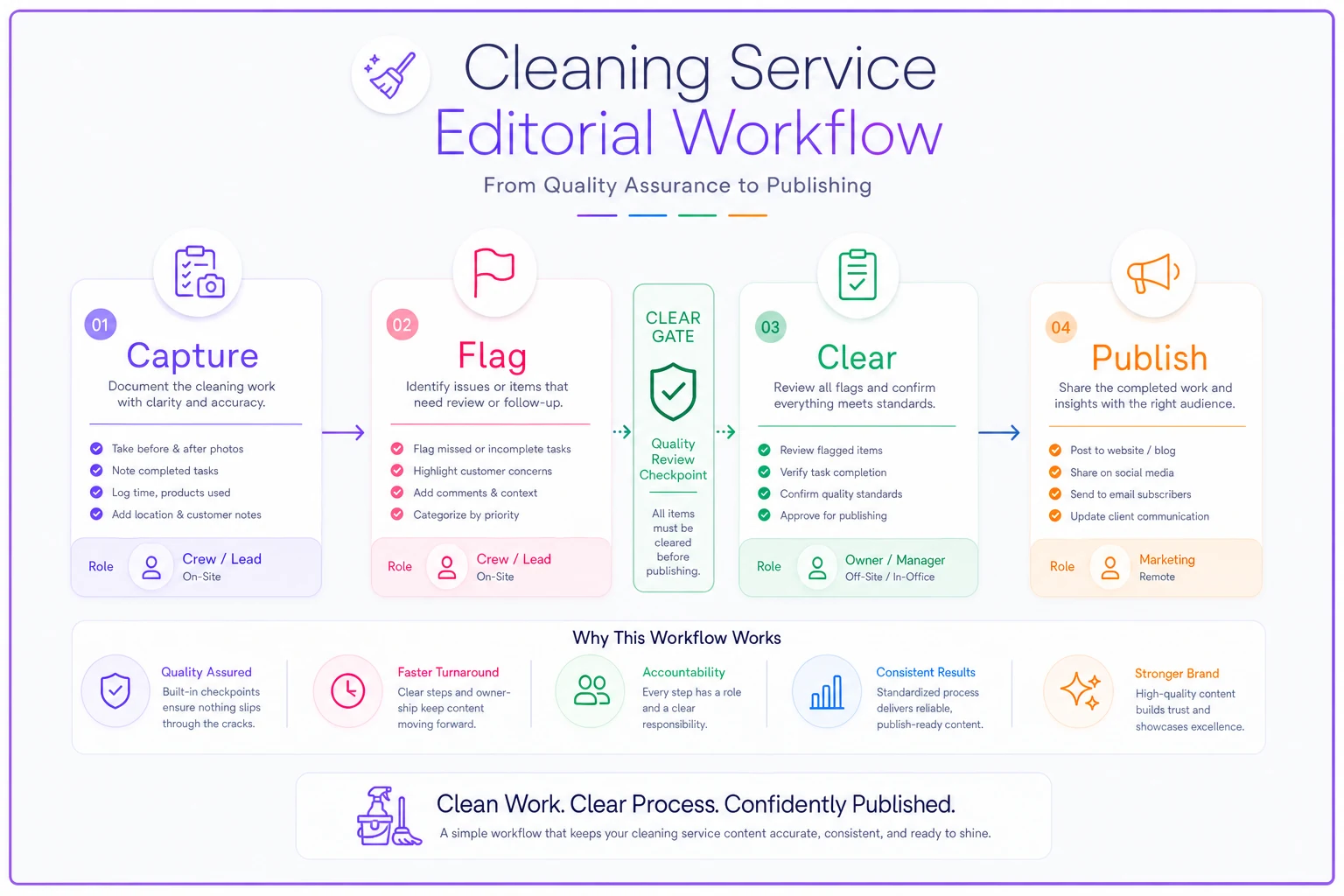
If you map this to your current tools (even a spreadsheet), the important part is the gate: make sure "Clear" requires both publication consent and an anonymization check before the asset moves to the marketing library.
Retention: how long you keep what, and when you delete
Retention is where two goals collide. QA photos want a long life for dispute protection. Marketing assets need a bounded life tied to consent. Don't let them share the same rulebook.
A practical retention framework:
| Asset type | Keep for | Trigger to delete |
|---|---|---|
| Internal QA photo | Duration of dispute window (often 6–12 months) | After window closes with no dispute |
| Published marketing asset | While live + a short buffer | Consent withdrawn, or asset retired |
| Consent records | Longer than the asset itself | Never delete before the asset it authorizes |
Keep the consent record longer than the photo it applies to. If someone challenges a published photo two years from now, you want to be able to prove they said yes — even if you deleted the photo months ago.
Build a real withdrawal path too. If a client emails "please take that photo down," you need to find every place it was published and pull it — social, website, ads, printed flyers. This is much easier if your marketing library tags each asset with the client and the platforms it was posted to. If you can't answer "where did this photo go," you can't honor a takedown request, and that's a real liability.
When this makes sense — and when it really doesn't
Worth doing: You're running regular residential work with visible, dramatic results — deep cleans, move-outs, post-construction, neglected properties. These generate the kind of transformation photos that actually sell. If your before/afters are genuinely impressive, this pipeline pays for itself quickly in earned social proof.
Slow down: High-end or privacy-sensitive clientele. Executives, high-net-worth homes, medical or legal professionals — a lot of these clients will never grant publication consent, and pushing it can cost you the account. Respect the no and don't ask again.
Don't do it at all: If you clean spaces where confidentiality is part of the deal — law offices, therapy practices, certain medical settings — assume publication consent is off the table and keep those photos strictly internal. The marketing upside isn't worth the trust damage.
A real scenario
A two-crew residential agency doing mostly recurring and move-out work had a decent volume — somewhere around 40–50 completed cleans a month — but their marketing was all stock photos and their website barely converted.
They already took QA photos for dispute protection. What they didn't have was the bridge. So they added two things: a same-day publication consent text after standout jobs, and a weekly 20-minute review where the owner ran flagged photos through the anonymization checklist.
In the first month they got publication consent on roughly 1 in 3 of the jobs they asked about — enough to build a small library of real before/afters. Nothing dramatic happened overnight. Over the next couple months, their move-out inquiry rate ticked up, and a few new clients specifically mentioned the real photos as the reason they trusted the quote. The photos weren't perfect. They were real, and that was the point.
No new cost. No new tool, really — just a consent text, a checklist, and one recurring 20-minute slot.
The takeaway
The reason your QA photos aren't marketing yet isn't a content problem — it's a process gap. The legal and privacy questions never get answered at the right moment, so the safe move is always "don't publish." Build the two-consent model, run every candidate through the anonymization checklist, put a single "clear" gate between QA and publishing, and keep consent records longer than the photos they authorize.
Do that, and the person posting your content never has to guess whether something's safe. The hard part was already handled upstream — which is exactly how you turn the evidence you're already collecting into marketing you can actually use.
Ready to elevate your cleaning business?
Join 500+ cleaning services using Maidufy to save time, reduce scheduling errors, and deliver exceptional client satisfaction.