
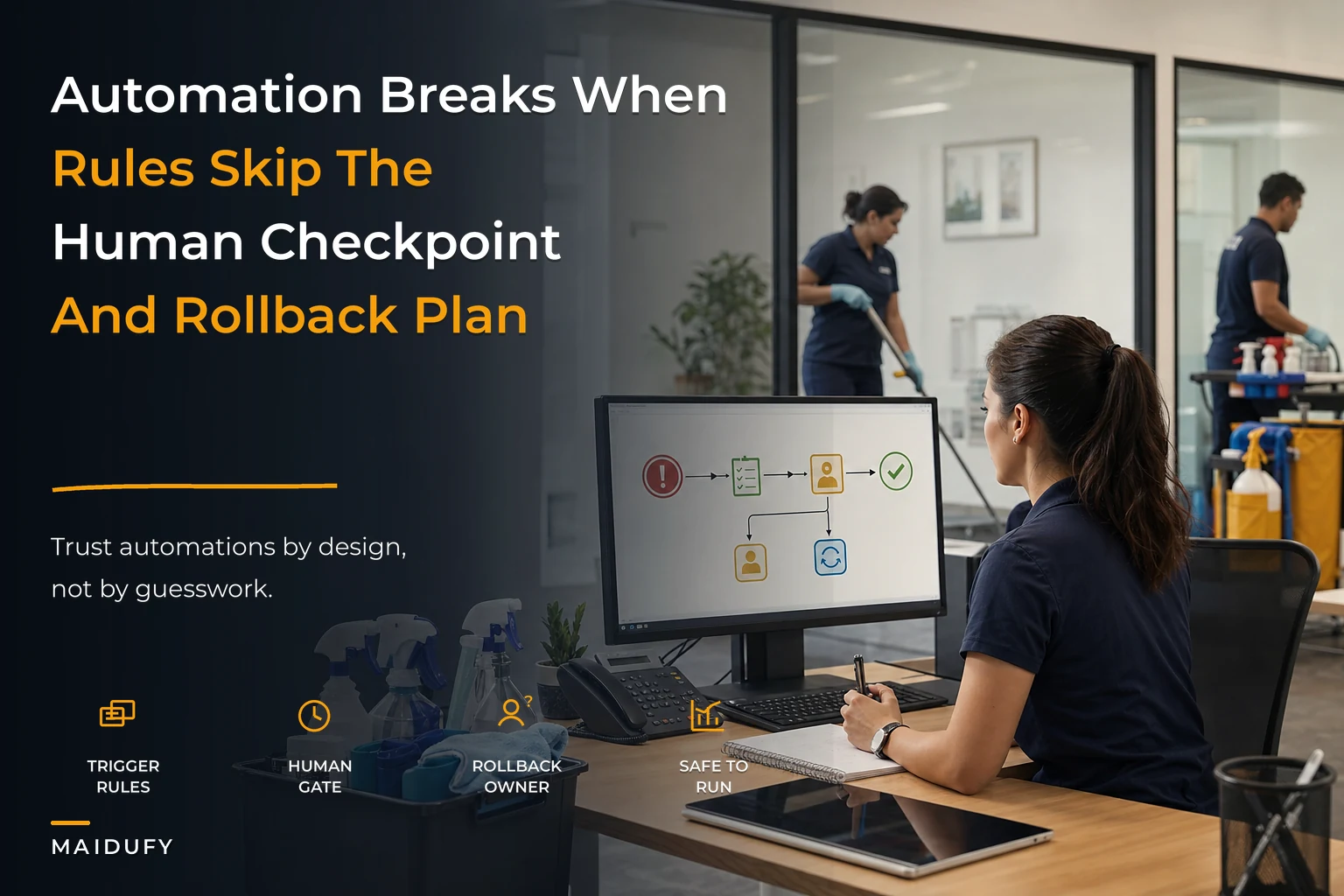

Most cleaning companies don't get burned by automation because the automation was bad. They get burned because they let it touch the wrong things without a checkpoint. A scheduling bot that quietly double-books a Tuesday morning slot is annoying. A payroll rule that auto-approves overtime nobody actually worked is a different kind of problem — the kind that shows up on your bank statement and stays there.
The gap between those two outcomes is governance. Not the corporate-committee version — the small, boring set of rules that decide what your systems are allowed to do on their own, what they have to ask you about first, and how you undo the mess when something goes sideways.
For a 5-person operation, this can live on one page. For a 50-person operation, it needs a bit more structure. Either way, the logic is the same, and getting it wrong scales badly. This is the piece nobody sets up until after the first ugly incident.
The real question isn't "should I automate" — it's "what happens when this fires wrong at 6am"
The mental model that actually works: for every automated action, ask what the cost of a wrong outcome is, and how fast you'd catch it.
A reminder text that goes out with the wrong arrival window? Low damage, caught almost immediately when the client replies. Auto-charge a card for a job that got cancelled the night before? High damage, and you might not catch it until the chargeback lands three weeks later.
Automation governance in cleaning operations comes down to sorting your workflows along those two axes — damage-if-wrong and time-to-detection — and deciding accordingly. The stuff that's low-damage and fast-to-catch, let it run. The stuff that's high-damage or slow-to-detect, gate it behind a human.
What tends to happen with small operators is they automate based on how annoying a task is, not how risky it is. Payroll is annoying, so it becomes the first thing they fully automate — which is exactly backwards. Payroll is where errors compound silently and cost real money before anyone notices.
A simple trust-vs-gate map for the three areas that matter
Most of the automation decisions in a cleaning business fall into three buckets: scheduling, payroll, and QA. Here's how they actually break down once you sort them by risk instead of by convenience.
Never miss a cleaning appointment again.
Maidufy helps you book, confirm, and manage every cleaning service seamlessly.
- Centralized booking management
- Automated client reminders
- Optimized staff scheduling
No credit card required
| Workflow | Trust (auto-run) | Gate (human-in-loop) | Why |
|---|---|---|---|
| Scheduling | Send appointment reminders, confirmations, route order suggestions | Rebooking a cancelled recurring slot, moving a protected client, overbooking a crew past capacity | Reminders self-correct fast; schedule changes ripple into payroll and client trust |
| Payroll | Pull clock-in/out data, calculate base hours, flag anomalies | Approving overtime, adjusting hours after disputes, releasing final pay run | Money out the door is the highest-damage, slowest-to-detect category |
| QA | Trigger inspection prompts, assign scores from checklists, flag low scores | Escalations to clients, refunds/credits, "re-clean at no charge" decisions | Scoring is fine automated; client-facing consequences need judgment |
The pattern is consistent: let automation do the gathering and the flagging, but keep the deciding with a person wherever money or a client relationship is on the line.
A concrete way to think about the middle column: automation is allowed to prepare the decision — pull the numbers, draft the message, highlight the anomaly — but a human presses the final button. That single distinction prevents most of the disasters.
Where automation quietly breaks as you grow
At 5 people, you are the checkpoint. Every schedule change goes through you, every pay run is small enough to eyeball, and you personally know why Marcus had a weird Thursday. Automation errors surface fast because you're touching everything anyway.
The trouble starts around 15–25 people. That's where you stop seeing every transaction, but you haven't yet built the guardrails that replace your eyeballs. A scheduling rule that worked fine when you reviewed it daily now fires 40 times a week unsupervised, and a bad edge case runs for a month before someone catches the pattern.
A typical example: a recurring-booking automation is set to auto-fill open slots when a cancellation comes in. Great for utilization — until it starts moving a crew across town to fill a gap, blowing up drive time and creating overtime nobody authorized. At 5 people you'd have caught it the same day. At 30, it's buried in the noise until payroll comes in high three weeks running.
The fix isn't less automation. It's adding checkpoints before you cross into the range where you can't personally supervise. Governance should be built at 12 people so it's ready at 25. Retrofitting it after an incident is always messier — you're rebuilding trust with clients and staff at the same time you're rewriting rules.
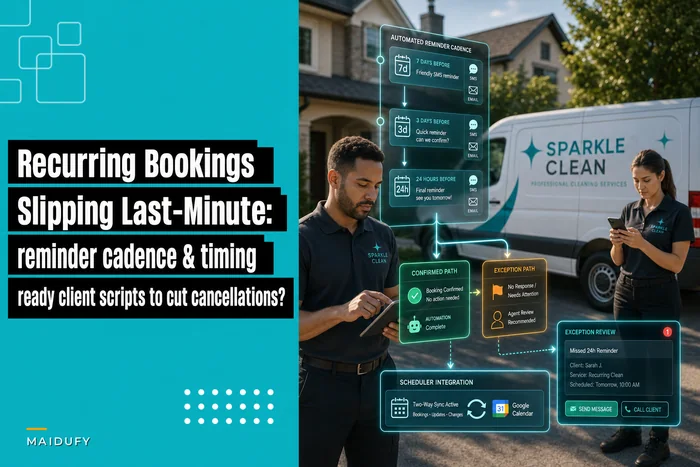
If your schedule logic and cancellation handling still live mostly in your head, it's worth getting the reminder and rebooking cadence written down first — the mechanics of that are covered in this breakdown of an automation-ready reminder cadence, which is the layer governance sits on top of.
Human-in-loop checkpoints that actually earn their place
A checkpoint that requires you to approve every single thing isn't a checkpoint — it's a bottleneck that people will route around within a week. Good checkpoints are selective. They only interrupt when the automation hits a condition that genuinely needs a human.
-
Overtime gate — Any pay period where an individual crosses their scheduled hours by more than ~15% pauses for approval before it enters the pay run. Normal weeks flow through untouched.
-
Schedule-move gate — Automation can suggest moving a booking, but any move affecting a recurring client or crossing a drive-time threshold (say, over 25 minutes) requires a tap to confirm.
-
QA-consequence gate — Automated scoring runs freely, but any score below your re-clean threshold routes to a manager before the client is contacted or a credit is issued.
-
New-client-first-visit gate — The first job for any new client gets a manual eyes-on review of the schedule and crew assignment, because that's where first impressions and mis-scoped quotes hurt most.
-
Rate/quote gate — Automated pricing suggestions are fine for standard recurring cleans; anything flagged as a deep clean or condition-modified job holds for human pricing.
The part most people miss: a checkpoint's value comes from how rarely it fires. If your overtime gate is stopping every pay run, either your scheduling is broken or your threshold is wrong. A well-tuned checkpoint should feel quiet most of the time and only speak up when something is genuinely off.
A well-tuned checkpoint should feel quiet most of the time and only speak up when something is genuinely off.
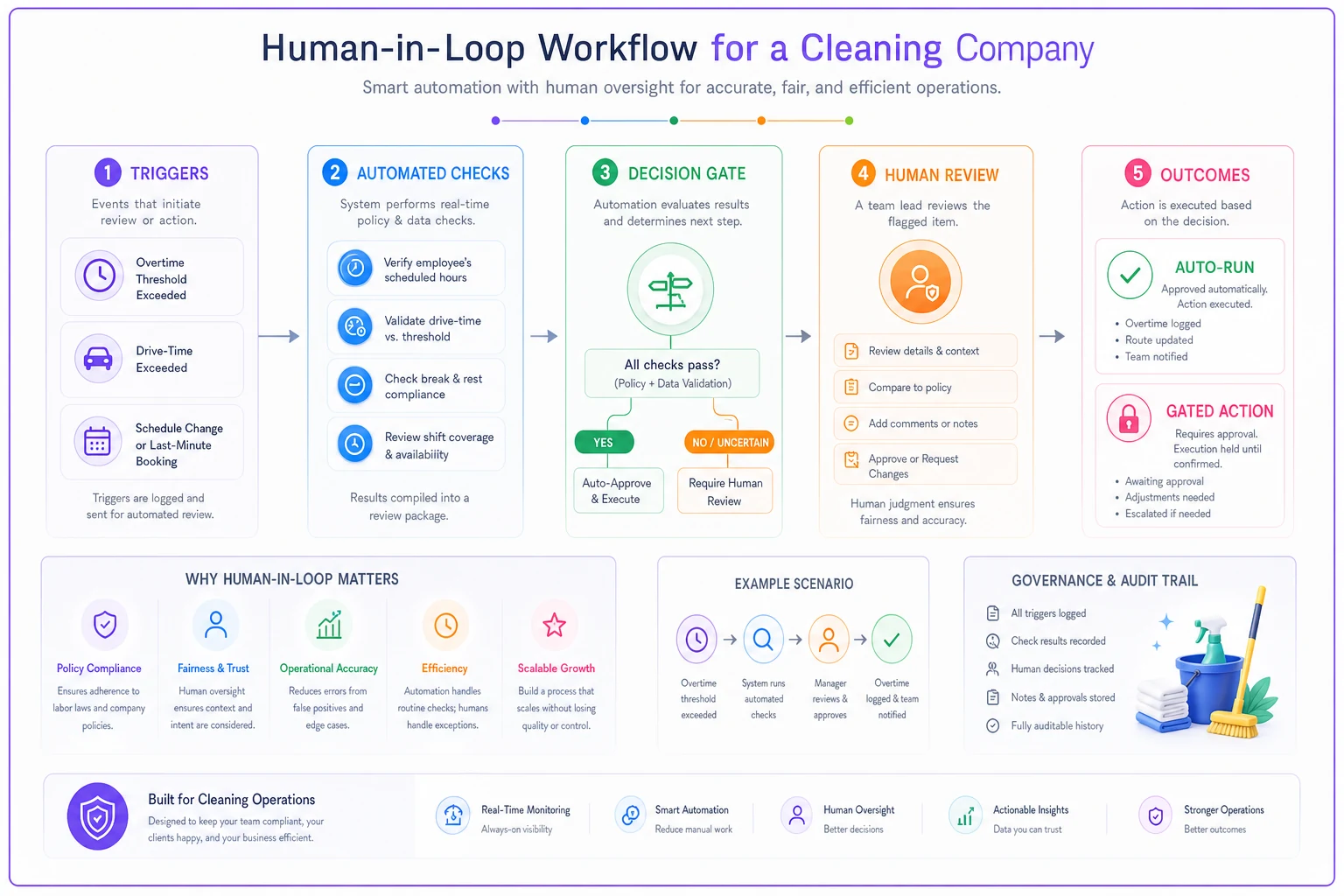
Here's a set of checkpoints sized for a small cleaning operation. Each one has a trigger condition — it stays out of the way until that condition is met.
Rollback playbooks — because "we'll figure it out" is not a plan
Automation will eventually do something wrong. The businesses that handle it well aren't the ones with perfect rules — they're the ones who decided in advance how to reverse a mistake before they were panicking about one.
-
Bad payroll run detected - Detect
Anomaly flag, or a staff member disputes their hours. - Stop: Freeze the pay run before disbursement; if already sent, halt the automation rule immediately. - Undo: Recalculate from raw clock data, issue corrections next cycle, document the adjustment. Never claw back silently — tell the affected person first.
-
Scheduling automation double-booked or mis-routed - Detect
Crew reports a conflict, or drive-time flag trips. - Stop: Switch the affected day to manual assignment. - Undo: Call the impacted client directly (not an automated apology), offer the specific fix, and log which rule caused it so you can patch the condition.
-
QA automation issued a wrong client-facing action - Detect
Client confusion, or a credit issued that shouldn't have been. - Stop: Disable auto-consequences, revert QA to score-only mode. - Undo: Manager reviews the flagged jobs manually, corrects any wrongful credit or escalation, and re-tunes the score threshold.
The part everyone skips: logging which rule caused the failure. Without that, you fix the symptom and the same edge case bites you again six weeks later. A rollback that doesn't feed back into the rule is just cleanup.
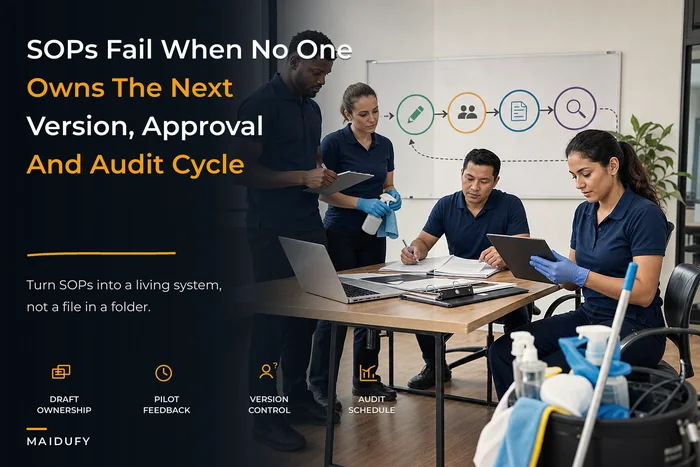
Your SOPs and your automation rules should evolve together here — when a rollback teaches you something, that lesson belongs in a versioned document, not in one person's memory. The lightweight approach to SOP versioning and approvals pairs directly with this, since a changed automation rule is really just a changed SOP with a trigger attached.
A short automation policy template you can actually fill out
You don't need a 30-page document. A one-pager per automation is enough for most operations under 50 people. Here's the skeleton:
Automation name: (e.g., "auto-fill cancelled recurring slots") What it does: One sentence. Trust level: Auto-run / Suggest-only / Gated. Gate condition (if any): The specific trigger that requires a human. Owner: The one person responsible for it. Detection: How we'd know it went wrong. Rollback: The 3-step stop/undo/log process. Last reviewed: Date.
Fill one of these out for every automation touching scheduling, payroll, or money. Keep them together. The whole point is that when something breaks at 6am, the person on shift can find the page and knows exactly what to do without calling you.
The "owner" line matters more than it looks. Automations without a named owner drift — nobody tunes them, nobody notices when they start misbehaving, and everyone assumes someone else is watching. Assign a human to every rule even if that human is you.
When to gate more, and when to gate less
Gate more when: you're growing fast, you've had a recent incident, you're onboarding new staff who don't yet know the edge cases, or the automation touches a new client relationship. New anything means more supervision until it proves stable.
Gate less when: an automation has run clean for a full quarter with no manual corrections, the damage-if-wrong is genuinely low, and someone would catch an error within a day. Over-gating trains your team to rubber-stamp approvals, which is worse than no checkpoint at all — because now you have the illusion of oversight without the reality.
Who should not fully automate payroll or client-facing QA consequences: honestly, nobody under 50 people. The volume isn't high enough to justify the risk, and a single wrong pay run or wrongful refund does more reputational and financial damage than the time you'd save. Keep the gathering automated, keep the deciding human.
A real scenario
A residential cleaning company running about 8 crews — roughly 320–360 recurring jobs a month — had automated their cancellation-fill logic to keep utilization up. It worked beautifully on paper. Over about two months, though, overtime crept up by close to $2,600 total. The fill rule kept sending crews across town to plug last-minute gaps, and nobody connected the pattern because each individual instance looked reasonable.
They didn't rip out the automation. They added two things: a drive-time gate (any fill over 25 minutes holds for a tap) and an overtime checkpoint on the pay run. The gate fires maybe three or four times a week now — the owner glances, approves the sensible ones, kills the wasteful ones. Overtime settled back to roughly where it had been, and utilization stayed high because the good fills still flowed through automatically.
The lesson wasn't "automation is risky." It was that a single well-placed checkpoint recovered most of the leak without giving up the benefit.
Bringing it together
The operators who get automation governance right aren't the cautious ones or the aggressive ones — they're the ones who sorted their workflows honestly by damage and detection speed, then let the safe stuff run free and put a human hand on everything that could quietly cost them money or a client.
Start with the trust-vs-gate map for scheduling, payroll, and QA. Write a one-pager for each automation touching money. Build the checkpoints before you hit the size where you can't personally see everything. And decide your rollback steps while things are calm, not while your phone is going off.
Done right, this isn't bureaucracy — it's the thing that lets you actually trust your systems enough to step away from them. Which, if you're reading this, is probably the whole reason you started automating in the first place.
Done right, this isn't bureaucracy — it's the thing that lets you actually trust your systems enough to step away from them. Which, if you're reading this, is probably the whole reason you started automating in the first place.
Ready to elevate your cleaning business?
Join 500+ cleaning services using Maidufy to save time, reduce scheduling errors, and deliver exceptional client satisfaction.